Understanding Special Education Equipment and Its Role in Classrooms
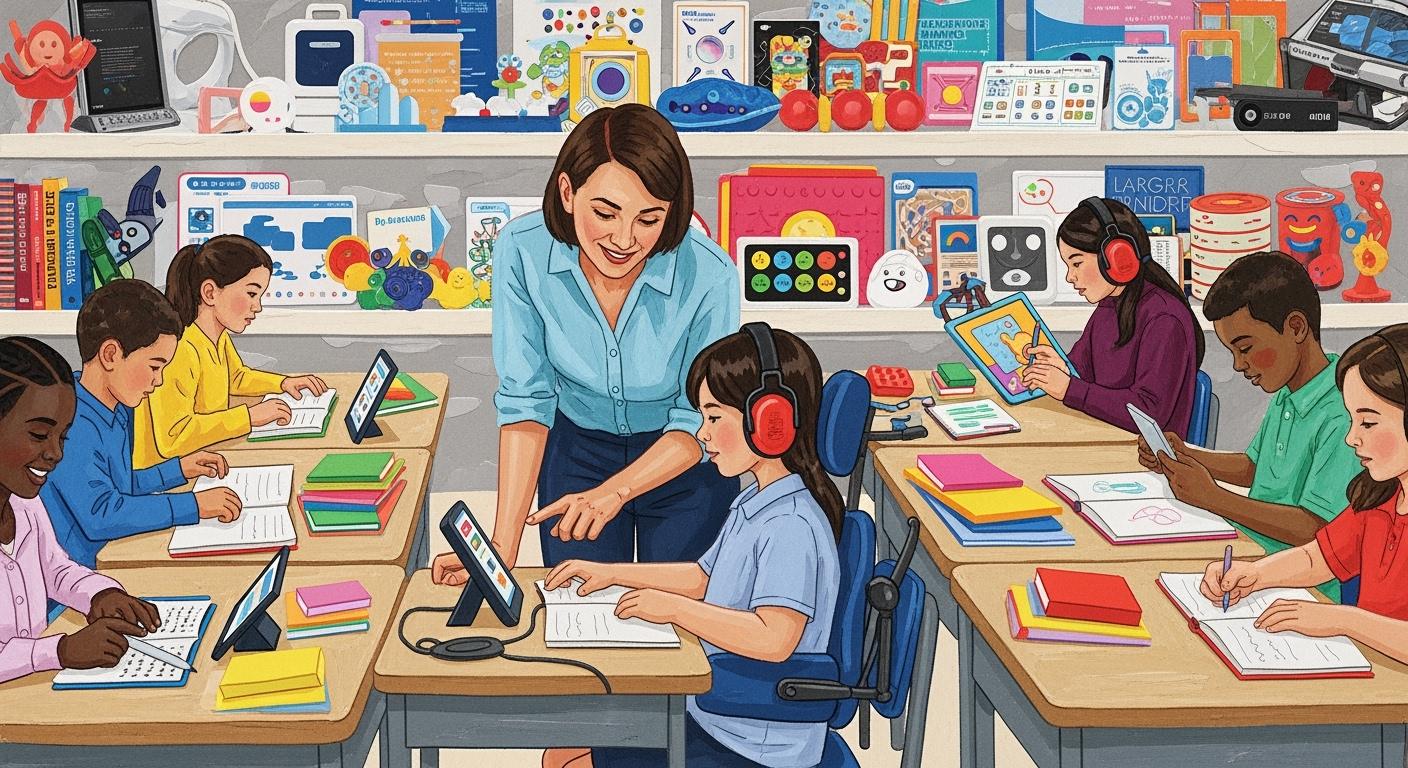
You see special education equipment as tools that help you learn. These tools support students who have different needs. Some examples are Soft Play Giant Building Blocks, Two-Color Sequin Sensory Board, and Liquid Floor Tiles Hopscotch Mat. You use these items to help you focus, build motor skills, and have fun learning. With the right equipment, you can beat challenges and feel like you belong.
Key Takeaways
Special education equipment helps students with different needs learn well. - Tools like sensory boards and adaptive technology help students focus. - These tools also help with motor skills. - Assistive technology can be simple, like pencil grips. - It can also be advanced, like speech-to-text software. - Teachers and support teams pick the best equipment for each student. - Using the right tools makes students feel more confident. - It also helps them join in classroom activities.
What Is Special Education Equipment?
Definition and Purpose
You might ask what special education equipment is in your classroom. This means tools that help you learn and join in. These tools can be things you touch or use on a computer. They include machines, furniture, and materials that make learning better for everyone. The table below explains how schools talk about special education equipment:
Definition Component | Description |
|---|---|
Equipment | Machines, utilities, and built-in equipment, plus anything needed to hold them. |
Additional Items | All other things needed for a school to work, like teaching tools, furniture, and learning materials. |
You use special education equipment in many ways to help you learn. For example, you might use a wheelchair ramp to get around school. You might use a voice-activated computer to talk to others. The main reason for these tools is to help you:
Move safely and easily in your classroom.
Share your ideas and needs.
Get information in ways that work for you.
Write notes and finish your work.
Hear and see lessons better.
Read and write with less trouble.
Use things that fit you, like Braille or big-print books.
The Individuals with Disabilities Education Act (IDEA) says public schools must give you the tools you need. This law makes sure you get a free and fair education with the right special education equipment.
Special education equipment helps you learn new skills. You can use small objects or activity boxes to practice hand skills. Adaptive technology helps you use things every day. Play also helps you build sensory and motor skills. When you string beads or play with dough, you make your hand muscles stronger. Sensory tools can help you feel calm and ready to learn.
Who Benefits
You can use special education equipment if you have different learning needs. Many students use these tools to do their best. The table below shows who uses these tools and why:
Group of Students | Specific Needs |
|---|---|
Students with sensory processing issues | Need sensory tools like headphones and fidget toys to feel better. |
Students with motor challenges | Use special writing tools and slant boards to write and be more independent. |
Students with speech or language challenges | Use boards and speech-to-text software to share their thoughts. |
Students with visual impairments | Use technology like screen readers and text-to-speech to learn better. |
Students with physical disabilities | Need mobility aids and special seats to be comfortable and move around. |
You might use speech programs if you have trouble talking. Communicators help you share ideas if you do not speak. Timers help you keep track of time and change activities. Special keyboards make typing easier. Switch-adapted toys let you play and learn in new ways.
Special education equipment helps you in many ways:
You can talk and join class with AAC devices.
You build hand skills with hands-on tools.
You use adaptive technology to feel good about daily tasks.
Sensory tools help you stay calm and focused.
Therapy programs with these tools help you be more independent.
Note: Special education equipment gives you a chance to learn, grow, and join your class. You get the help you need to reach your goals.
Types of Assistive Technology
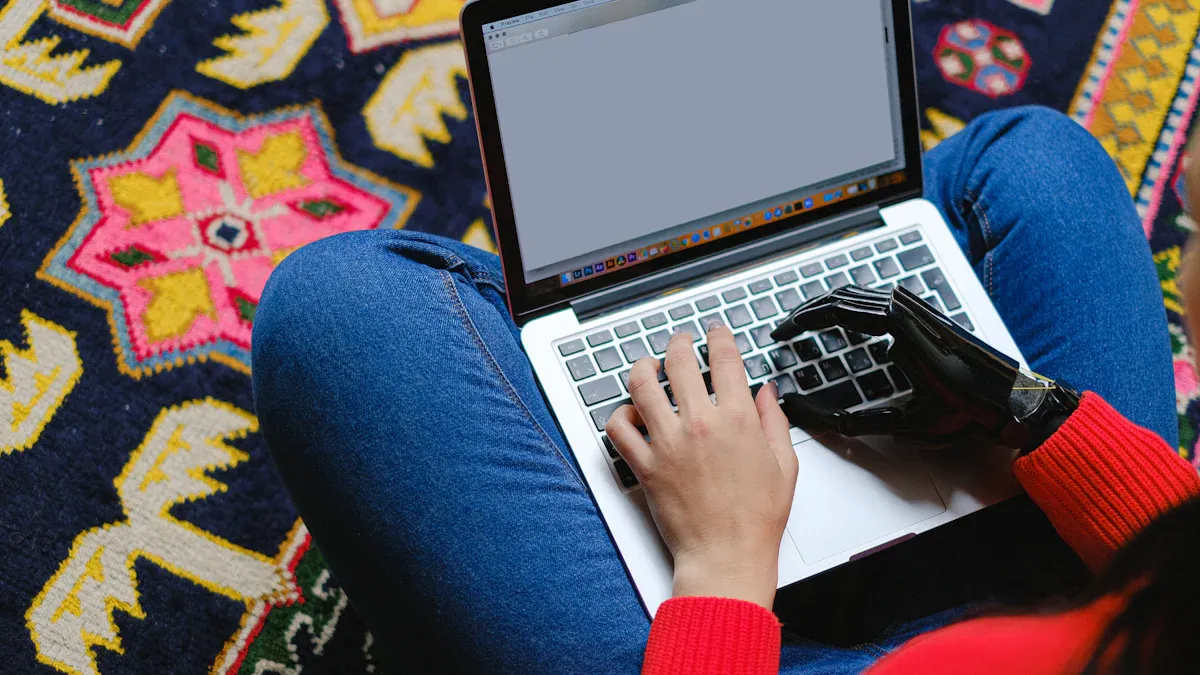
There are many kinds of assistive technology in classrooms. These tools help you learn, move, and talk to others. You might use low-tech tools, high-tech devices, or sensory and mobility aids. Each kind of equipment helps you in its own way.
Low-Tech Tools
Low-tech assistive technology does not use batteries or computers. You can use these tools every day to make things easier. Many students use these items to write, stay organized, and pay attention. The table below lists some common low-tech tools and how they help:
Tool Type | Definition | Examples |
|---|---|---|
Specialized writing tools | Help you build hand skills and feel less upset | Rubber pencil grip, Modified scissors |
Planners | Help you remember your schedule and homework | Notebooks, Calendars |
Raised-line paper | Help you write better by feeling the lines | Raised-lined paper |
Highlighting tools | Help you see important words or sentences | Highlighting pens, Highlighter tape |
Non-slip materials | Keep your papers or books from sliding | Non-slip mats, Non-slip grips |
Rubber stamps | Let you stamp letters and numbers easily | Stamps for letters and numbers |
Adaptive utensils | Make eating simpler and less messy | Large grip utensils, Spill-proof cups |
Timer | Help you keep track of time and stay on task | Timers for task management |
These tools help you stay neat and finish your work. Many teachers use these tools to help students with special needs.
High-Tech Devices
High-tech assistive technology uses machines, computers, or the internet. You might use text-to-speech software to listen to books. Some students use speech recognition software to write by talking. Digital whiteboards help you do math with your class. Eye-gaze computers let you use your eyes to control a device. Braille displays show words in braille for students who are blind.
Text-to-speech software reads words out loud.
Speech recognition software lets you talk and see your words.
Digital whiteboards help you work on problems together.
Eye-gaze computers let you use your eyes to pick things.
Braille displays help students who cannot see read text.
Studies show that high-tech assistive technology helps you talk and make friends. For example, eye-gaze technology lets you share ideas. Virtual voice assistants can help you learn new words.
Sensory and Mobility Aids
Sensory and mobility aids help you move, focus, and learn in class. You might use noise-canceling headphones to block loud sounds. Weighted vests can help you feel calm. Some students use talking books, fact tables, or calculators to help remember things and read. You can also use braille displays, misspeller’s dictionaries, or spell checkers to help with writing.
Other special needs technologies are:
Augmentative and alternative communication devices
Assistive listening devices
Accessibility features like speech recognition software and text-to-speech
Speech-generating devices
Computer and tablet access
You can use these devices to join class activities and reach your goals. Research shows that assistive technology helps you learn and do well in school.
Tip: Try different assistive technology tools to see what helps you most. Your teacher can help you pick the best equipment for your needs.
Assistive Technology in the Classroom
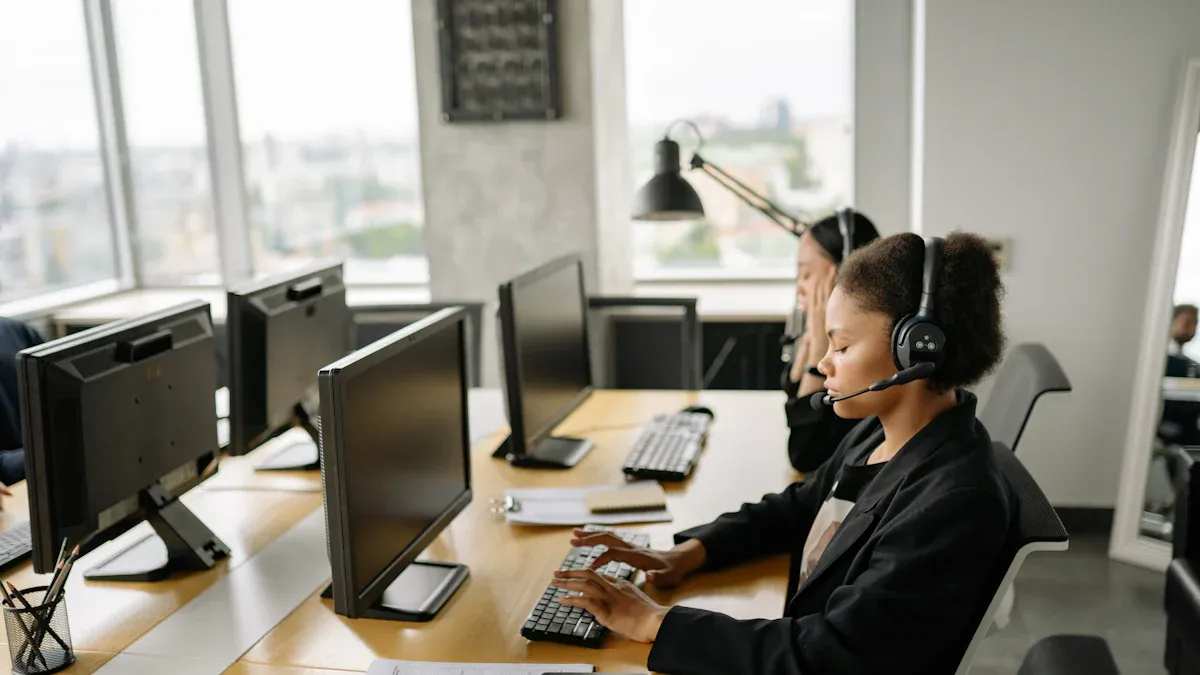
Assessment and Selection
You help pick the right assistive technology for your class. First, teachers find out what you need. They look at what you do well and what is hard for you. They check how you learn, move, and talk. The table below shows what they think about:
Criteria Type | Description |
|---|---|
Academic considerations | They see what learning is hard for you and how you use materials. |
Functional capabilities | They look at how you move, talk, and think. |
Environmental factors | They check if your class and home help you use technology. |
Matching technology to needs | They make sure the tool fits what you need and like. |
Device selection criteria | They see if the device is easy for you to use. |
Trial periods | You try the tool for a short time to see if it helps. |
Customization options | You can change the tool to fit you better. |
Implementation planning | They plan training and support for you. |
Ongoing evaluation | They keep checking if the tool works for you. |
Legal and ethical considerations | They follow IDEA and other rules. |
Special educators use the SETT framework. They look at you, your class, your work, and the tools. This helps them pick the best assistive technology for you. They want the tool to help you do well in school and join in class.
Integration into Learning
You use assistive technology every day in your class. Teachers add these tools to your learning plan. They work with therapists, parents, and you to set goals. You use the tools in lessons, group work, and tests. This helps you join in and learn better.
Teachers use good ways to help you with assistive technology:
They work with a team to find what you need.
They put tools in your learning plans.
You use the tools every day in class.
They check if the tools help you reach your goals.
They follow rules so everyone gets fair access.
When you use assistive technology, you feel more sure of yourself. You join in class and with friends. These tools help you be more independent and learn with others. You see yourself do better in school with these supports.
Training and Support
You need to learn how to use assistive technology. Teachers, students, and families learn together. Training helps everyone know how to use new tools. Teachers get special lessons to help you. You can also learn from classmates.
Support does not stop after you get a tool. Teachers check on you and change the tool if needed. They work with experts to help you. This support helps you use assistive technology for learning and access. Training and support help make learning fair for all students with disabilities.
Tip: Ask for help if you do not know how to use your tools. Your teachers and helpers want you to do well with assistive technology in your class.
Impact on Special Education
Real-World Examples
Special education equipment helps students in many places. Schools use technology and hands-on tools to help you learn. These tools let you join activities with others. Here are some examples:
The Toronto District School Board uses AI tools for lessons. These tools give you information in ways that fit you. You join class more and do better in school.
Microsoft’s AI for Accessibility program has tools like Seeing AI. This app tells you about your surroundings and reads text out loud. It helps you read if you have trouble seeing.
The Autism Glass Project by Stanford uses smart glasses. These glasses use facial recognition to give you social cues. They help you join social activities and learn new skills.
LEGO Braille Bricks mix play and learning. You use these bricks to learn Braille and have fun.
In Kenya, blind students use tablets with screen readers and keyboards. These devices help you study and use university materials on your own.
*Assistive technology helps students with disabilities join activities. Students use computers for assignments and touch screens for worksheets. Communication devices help students share thoughts and feelings.*
— Dr. Barbara LeRoy
You use hands-on aids, digital devices, and adaptive tools to learn. These examples show how equipment helps you join lessons, talk to others, and build skills.
Benefits for Students
Special education equipment gives you and your classmates many benefits. You join lessons, activities, and social events more easily. The table below shows how these tools help you grow:
Benefit Type | Description |
|---|---|
Academic Growth | You learn with your classmates and make progress in class. |
Improved Outcomes | You use different teaching methods and get better results. |
Social Skills Development | You get chances to make friends and feel accepted. |
Enhanced Self-Esteem | You feel more confident and like you belong. |
Assistive technology lets you learn in ways that fit you. These tools help you make choices and control your learning. You get information that matches your strengths. You feel more independent and sure of yourself when you use technology.
Benefit | Description |
|---|---|
Personalized Learning | You get lessons in formats that work for you. |
Independence and Agency | You use tools to take charge of your learning. |
Social Inclusion | You join a classroom where everyone feels welcome. |
Improved Self-Confidence | You get support that helps you believe in yourself. |
Enhanced Academic Engagement | You do activities that keep you interested and involved. |
You get more chances to join and do well in school. In Tanzania, many students felt more confident and independent after using technology. You use hands-on learning aids that make school fun. These tools help you join classroom activities and reach your goals.
Research shows you do better when you use special education equipment. Inclusive education helps you learn and grow with others. You learn without barriers, and your classmates benefit too.
Overcoming Challenges
You may face problems when you try to use special education equipment. Schools need more staff training and better ways to work together. Sometimes, it is hard to get the right tools or support.
Challenge | Solution |
|---|---|
New technology can be hard to use in schools. | Training helps teachers learn new tools and help you. |
Working with special education teachers can be tough. | Teamwork training helps teachers work better with specialists. |
Getting parents to support inclusion can be hard. | Communication training helps parents learn and help you. |
Making fair tests for students with different abilities is hard. | Adaptable tests help you get fair evaluations. |
You get solutions that make learning easier. Schools teach teachers how to help you use technology. Your Individualized Education Plan (IEP) includes tools that fit your needs. You use adaptive technology that matches your learning style. Communication devices help you share your thoughts. Interactive activities help you join fun lessons. Teachers use technology to check your progress and give you support.
Equipment should follow the student into the regular classroom. The team looks at the classroom to make sure students with adaptive equipment are comfortable. Assistive tech helps students with disabilities join activities.
— Dr. Barbara LeRoy
You do better when schools work together and give support. Studies show you get more academic success and join in more when you use special education equipment often. You face fewer barriers and feel more confident.
Tip: Ask your teachers and family for help if you have trouble using equipment. You deserve tools and support to help you learn and grow.
You play a key role in making your classroom inclusive with special education equipment. These tools help you learn, communicate, and grow with your classmates. Laws like IDEA protect your right to the support you need. Teachers, families, and schools must keep learning and working together.
Use technology that fits your needs.
Join training and share feedback.
Work with your team to set goals.
When you use the right equipment, you can reach your full potential and feel confident every day.
FAQ
What is the difference between low-tech and high-tech assistive technology?
Low-tech tools do not use electricity or batteries. You use things like pencil grips or slant boards. High-tech devices use computers or software. You might use speech-to-text programs or screen readers.
How do you know which equipment is right for you?
Your teacher and support team look at your needs. They test different tools with you. You try them out and share what works best. The team helps you choose the right equipment.
Can you use special education equipment at home?
Yes, you can use many tools at home. Your school may let you borrow devices. You can practice skills and finish homework with the same equipment you use in class.
Who pays for special education equipment?
Schools usually pay for equipment you need in class. Sometimes, insurance or special programs help cover costs. You can ask your teacher or school counselor for more information.
What should you do if your equipment breaks or does not work?
Tell your teacher or support staff right away.
Ask for help fixing or replacing it.
Keep using other tools if you can while you wait.
See Also
Understanding Sensory Products And Their Role In Special Education
Essential Elements Of Effective ASD Sensory Rooms In Schools
Must-Have Resources For Setting Up Sensory Rooms In Schools
Optimal Strategies For Implementing ASD Sensory Rooms In Schools
Simplified Guide To Designing Sensory Classrooms For Teachers
